

Adding a New Customer
You can add new customers and manage existing customer profiles along with their full history.
Openbeauty collects customer data in one central location, giving you easy access to all information such as service history, contact details, and personal notes. This section includes adding new customers and viewing the history of existing customers.
Adding a New Customer
To create a new customer:
-
In the main menu, click “Customers” → “New Customer”.

2- Fill in the basic information in the form that opens, such as First Name, Last Name, Phone Number, Email, Date of Birth.
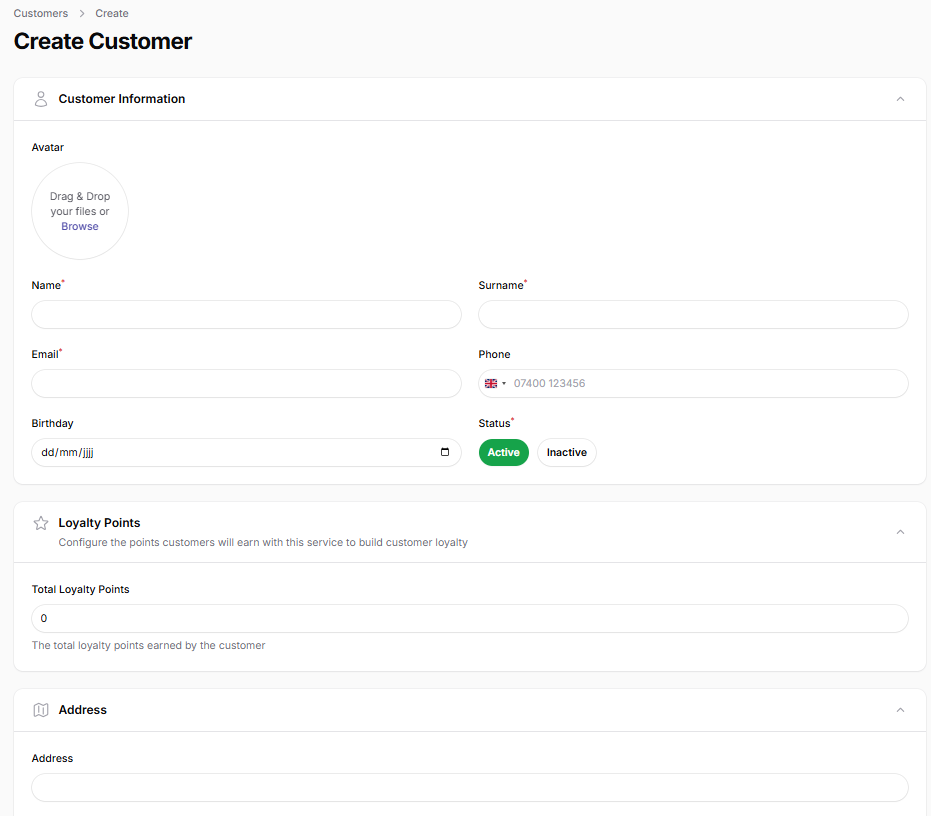
3- If needed, complete additional fields such as address details, special notes, discount code, and communication preferences.
4- Click the “Save” button to add the customer to the system.
After this step, the customer will automatically be available for selection when creating appointments, and all transactions and history will be tracked under this profile.