Discount coupons
The Coupon module allows you to offer special discounts to your customers. The coupon codes you create here can be used by customers when making a reservation or shopping in your webshop.
The Coupon module allows you to offer special discounts to your customers. The coupon codes you create here can be used by customers when making a reservation or shopping in your webshop. For example, you can create a code such as “SUMMER10” and give customers a discount when they use this code.
To create a new discount coupon, click the ‘New coupon’ button.
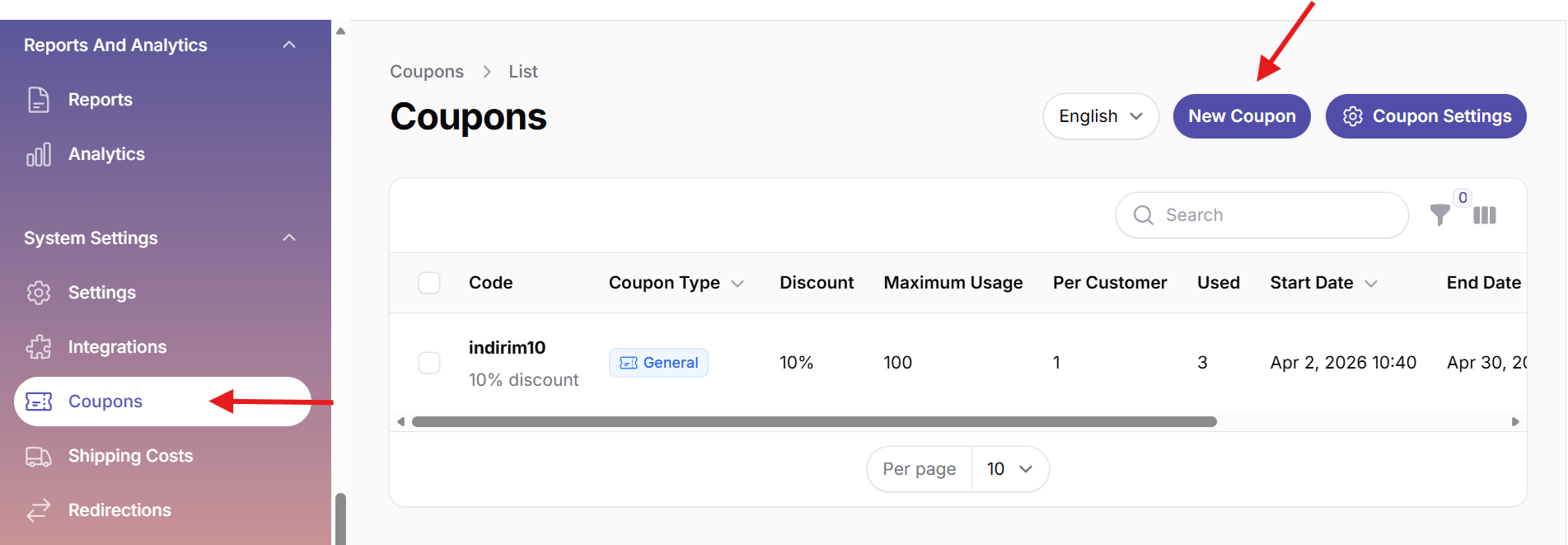
1. Main fields when creating a coupon
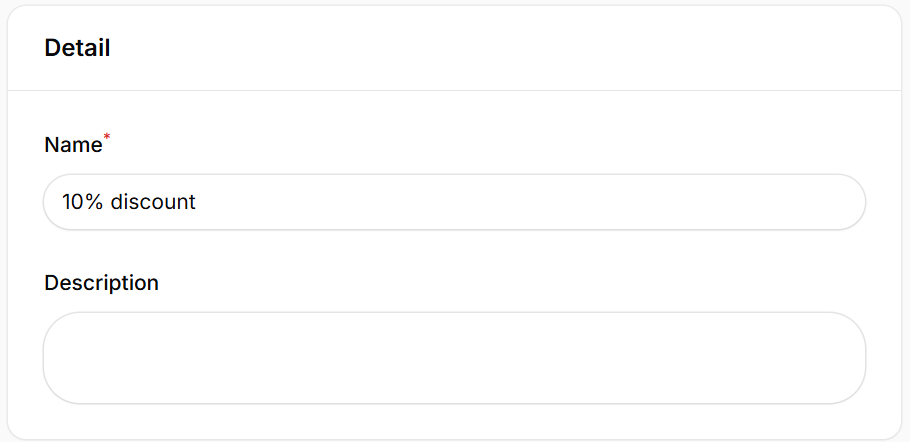
Define a name for the coupon. This name is only visible in the system and is not seen by the customer. You can add a short description of the coupon. For example: “10% discount for the first appointment.” This helps all staff easily understand the purpose of the coupon.
2. Discount settings
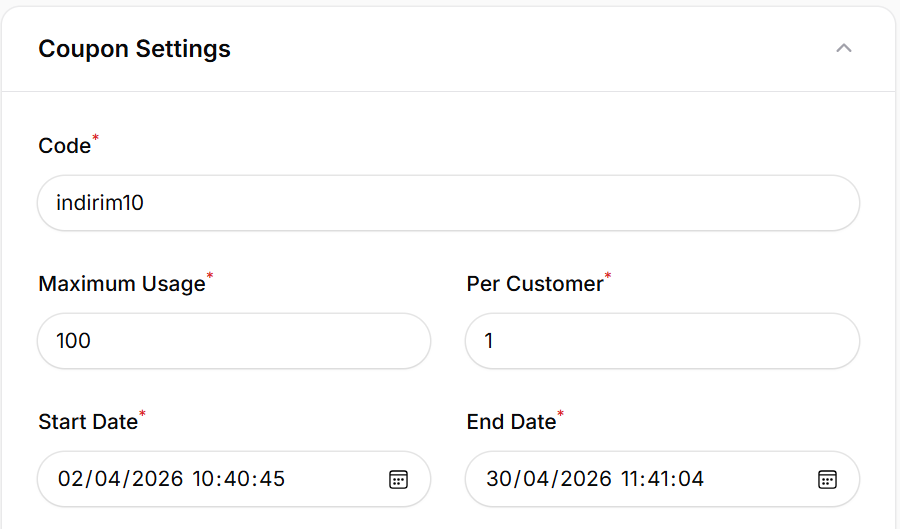
- Code: The code customers enter to receive the discount.
- Total usage: Determines how many times the coupon can be used in total. For example, if you enter 100, the coupon can be used a maximum of 100 times.
- Usage per customer: Determines how many times a single customer can use the coupon. For example, if you enter 1, each customer can only use the coupon once.
- Start date: The date from which the coupon becomes valid.
- End date: The last date the coupon is valid.
3. Discount type
Discount type: Choose how the discount is applied, for example as a percentage (%) discount.
Discount value: Set the discount percentage or amount. For example, if you enter 10, a 10% discount will be applied.

4. Usage conditions
Define where the discount is valid:
- Apply to the total shopping cart amount.
- Only valid for specific products or services.
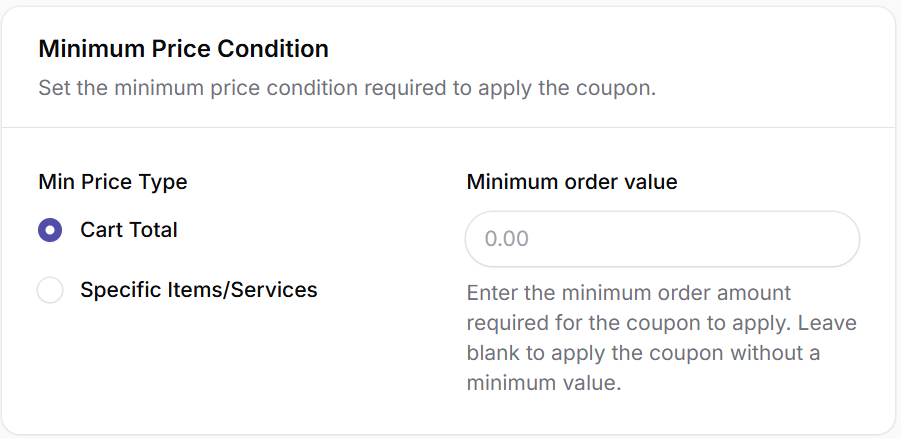
Minimum order value: Set the minimum order amount required to use the coupon. Leave empty if no minimum is required.