

Popups
Highlight a campaign or new service the moment a visitor arrives.
The Popups module allows you to create and manage pop-up windows that are displayed to website visitors. Pop-ups can be used to share important information, promote special offers, make announcements, or direct visitors to a specific page.
With this module, you can create pop-ups, select when and how they are displayed, add content and images, and configure a button that redirects visitors to a specific page.
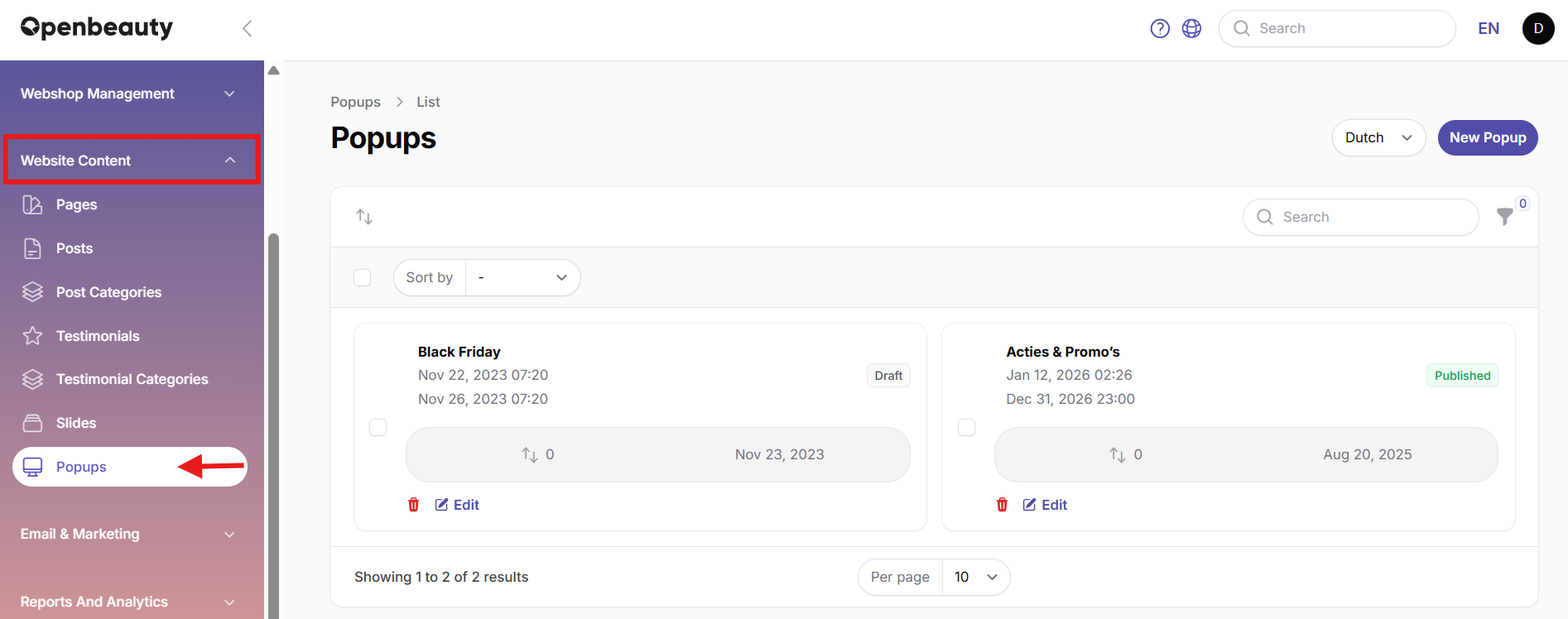
To create a new popup, go to the Popups module and select Create Popup.
- Select the language for the popup.
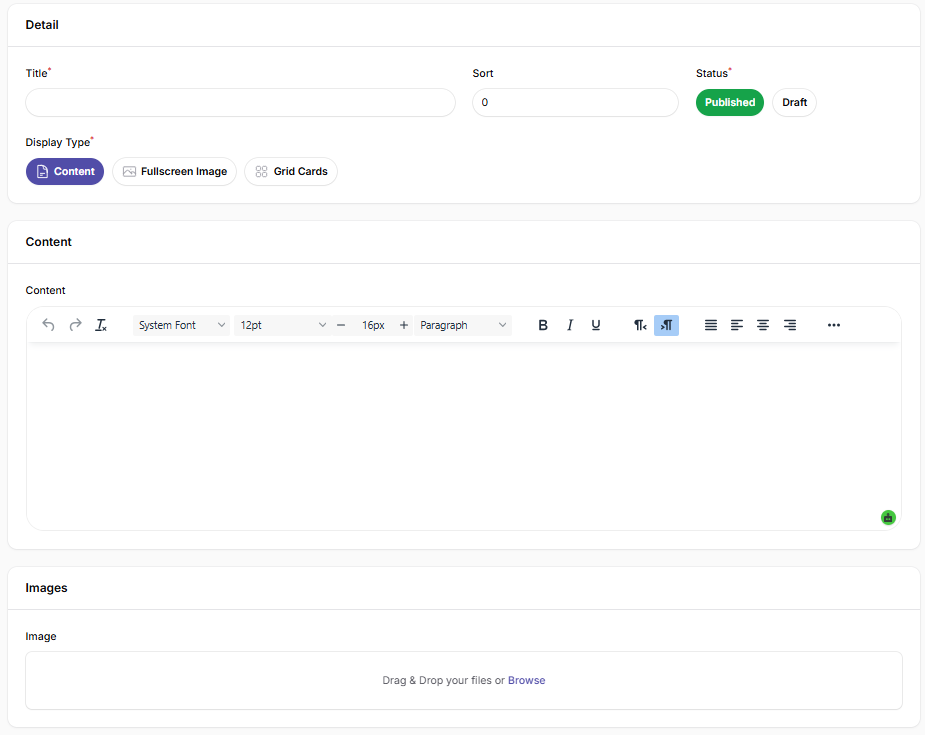
- Enter the title of the popup in the Title field. This title is visible to website visitors.
- Select the desired Display Type.
- Add the text and other content in the Content field.
- Upload the main image in the Image field.
- Under Status, select Published to make the popup active or Draft to keep it unpublished.
- Use Sort to define the display priority when multiple popups are active. A lower number means a higher priority.
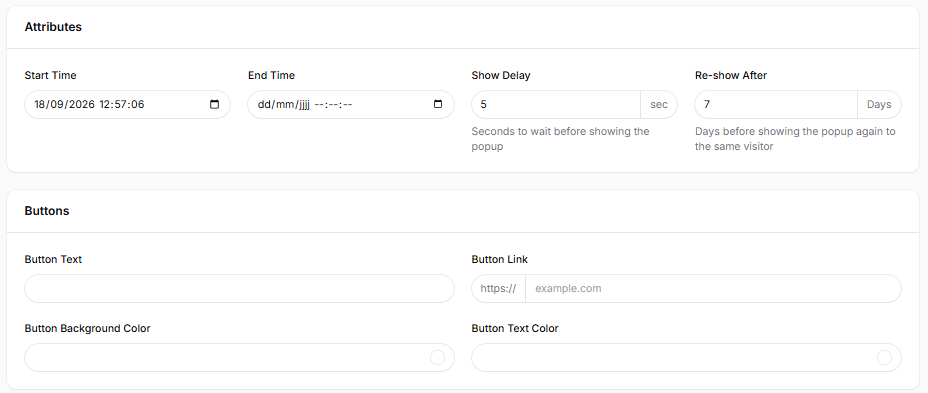
- Use Start Time and End Time to define when the popup becomes active and when it is deactivated. If the End Time is left empty, the popup remains active until it is manually unpublished or disabled.
- Use Show Delay to define how many seconds to wait before displaying the popup.
- Use Re-show After to define how many days should pass before the popup is shown to the same visitor again.
- Under Buttons, enter the Button Text and Button Link to add a clickable button. The link must start with https://.
- You can also customize the Button Background Color and Button Text Color.
Once all required fields are completed, select Create to save the popup or Create & create another to save it and immediately create a new one.