Orders
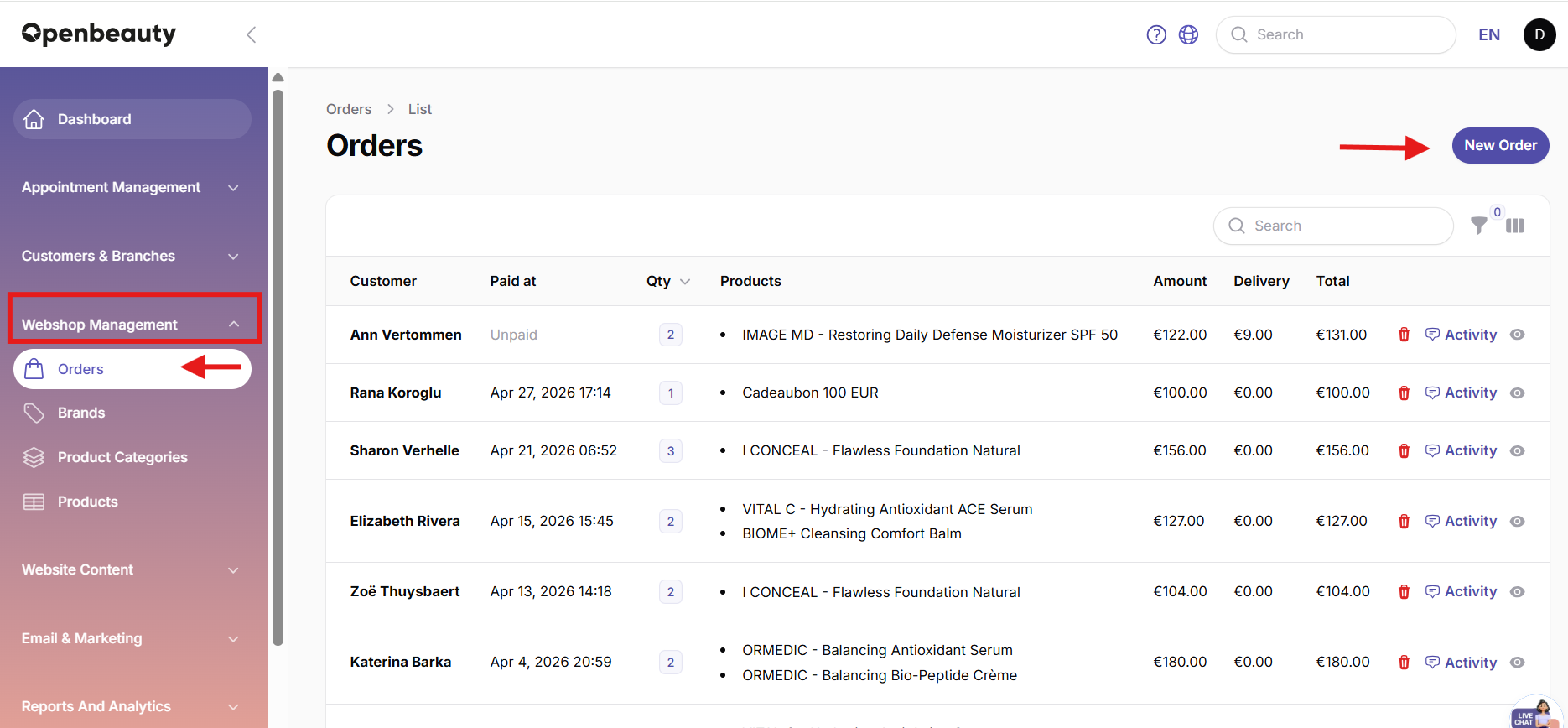
The Orders module is the section where product orders placed through Openbeauty are displayed and managed.
The Orders module allows you to manage all webshop orders from one central location. Here you can view, create, edit, and track orders while keeping customer, payment, and shipping information organized.
Whether an order is placed online through your webshop or created manually by a staff member, all orders are displayed in the same overview.
1. How do orders work?
The Orders module is the section where product orders placed through Openbeauty are displayed and managed. In this section, all orders are shown in a table view. Through this table, users can:
- View orders
- Access order details
- View payment information
- See customer information related to the order
- Check whether the order will be delivered via shipping or picked up in the salon
The Orders module allows users to view both online orders placed via the website and manually created orders added by an admin through the panel.
17.2 Add order
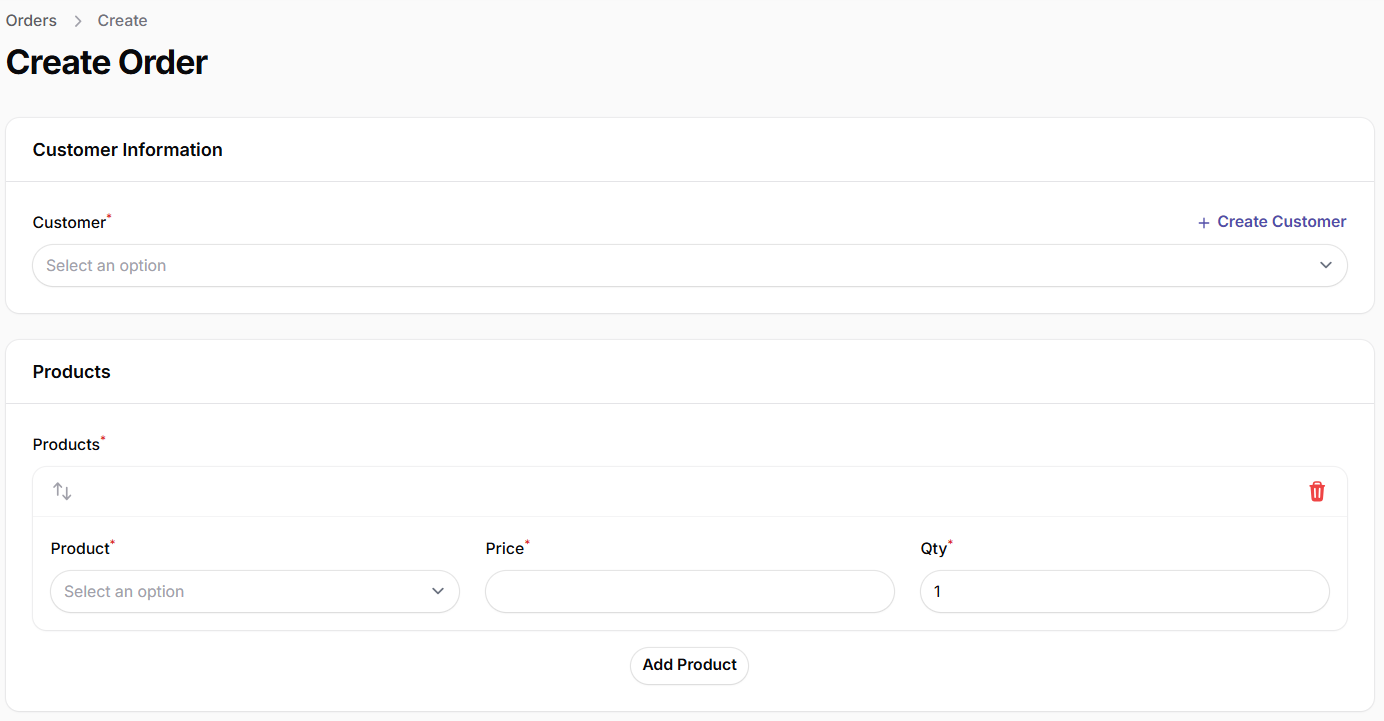
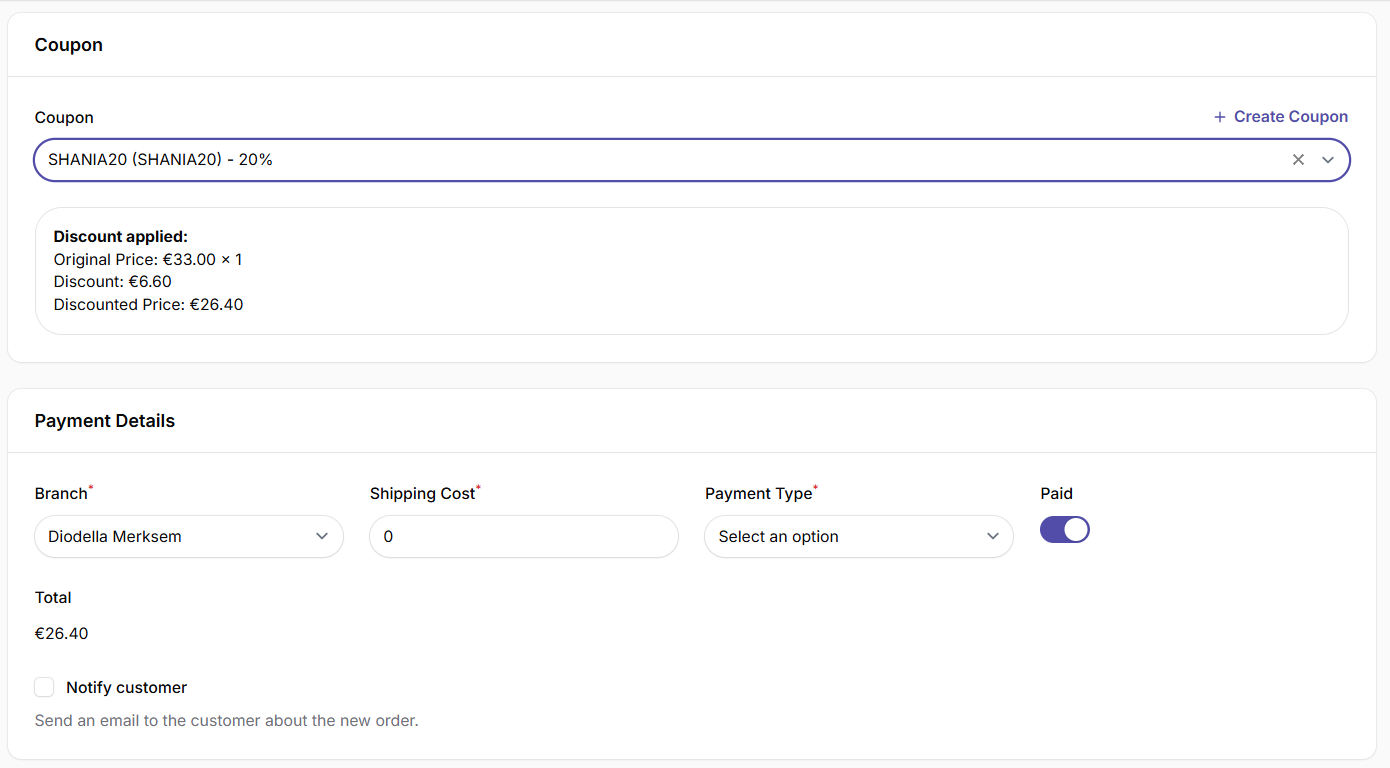
Via the Add Order section, a new order can be created. In this section:
- A customer is selected or added
- Products are selected
- A discount coupon can optionally be applied
- Shipping costs can be configured
This allows you to manage your sales and inventory status in a controlled and structured way from a single panel.
17.3 Order status tracking
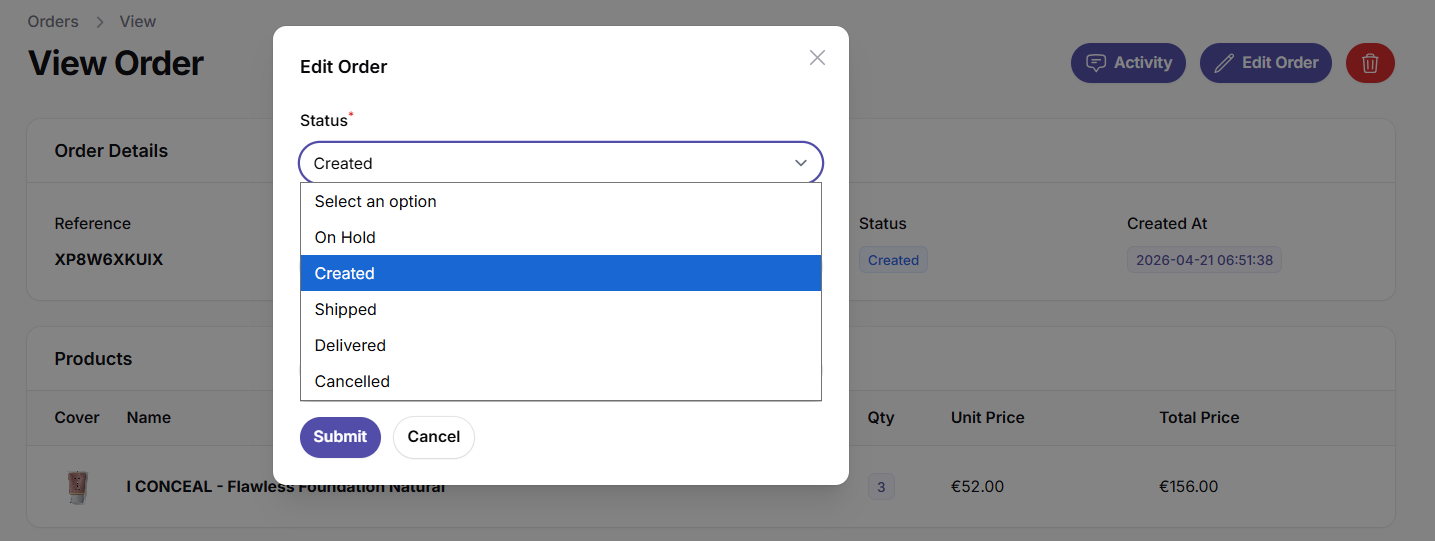
To simplify the order process and follow-up, it is recommended to update the status field. For example: Order received, Shipped, Delivered. This can easily be done via the Edit Order section. This ensures that the current status of each order is always visible in the panel.