

Writing a blog post
Use the rich editor to publish posts on your salon site.
Blog Content
The Posts module is used to manage blog content. In this section, a language (locale) is selected for each blog post, and content management is handled centrally.
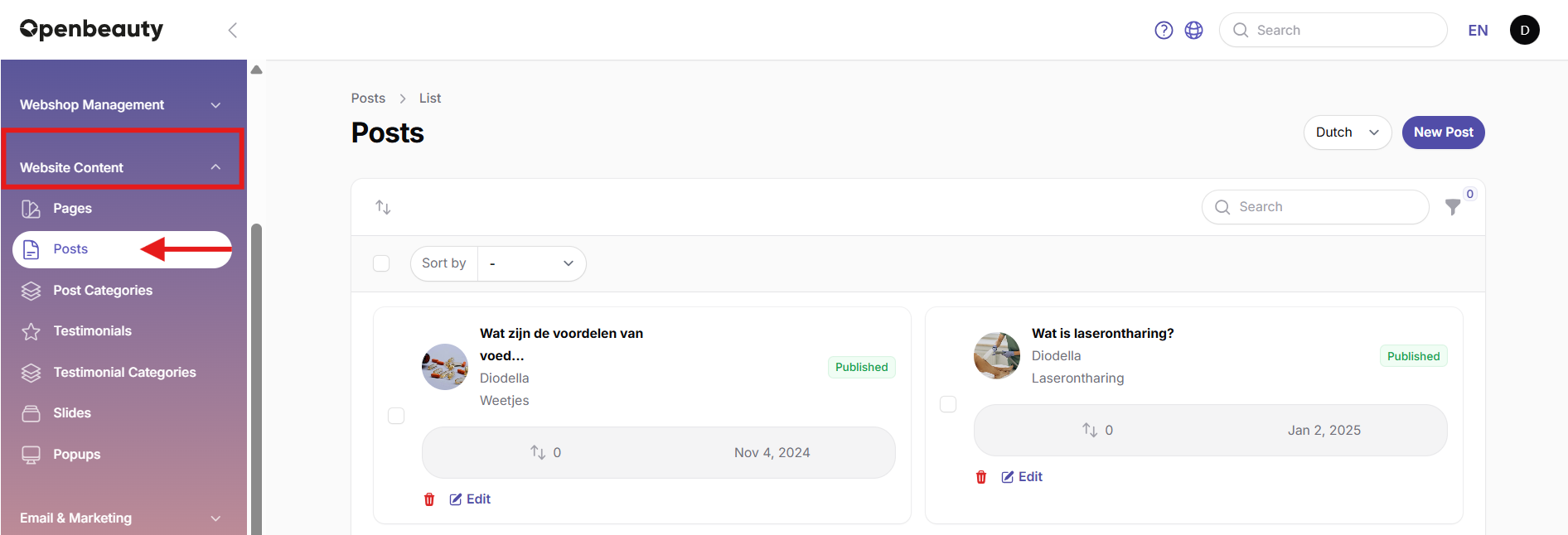
For each blog post, the following information is added:
- Title
- Short summary (Summary)
- Main content
In the content area, text blocks and formatting tools can be used to enrich the article.
To ensure proper visibility in search engines, Meta Title and Meta Description fields are filled in as part of SEO settings. The post status can be set to Published or Draft.
Blog posts can also be organized into categories. In the media section, you can upload:
- Cover image (recommended: 400x350)
- Banner image (recommended: 1200x230)
- Additional images
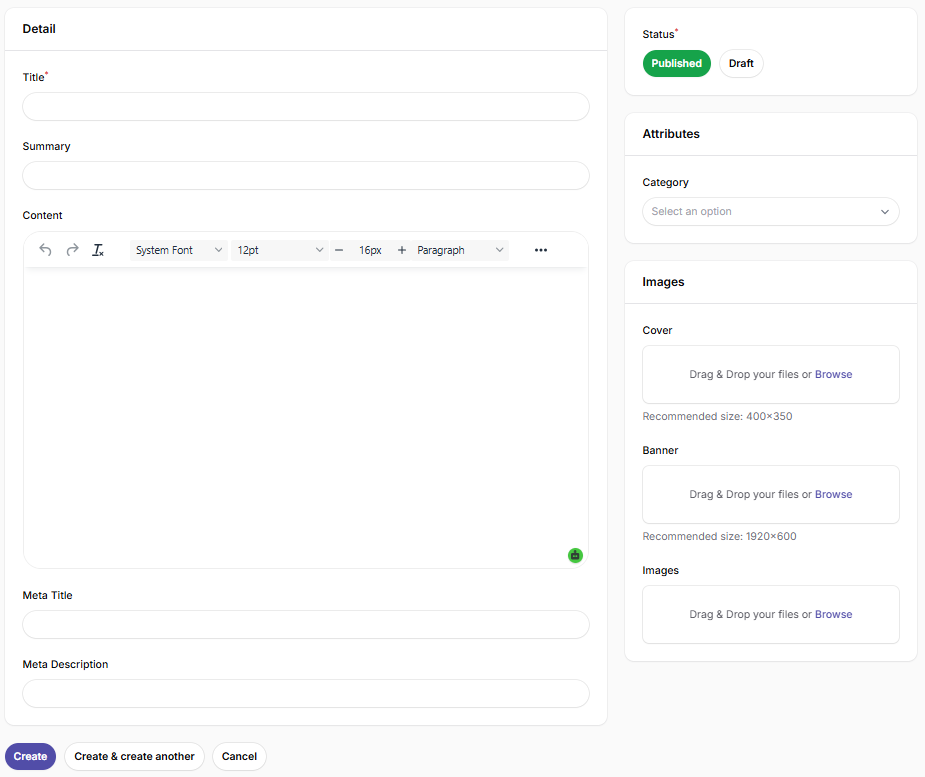
Once all information is completed, the post can be saved and published.
Blog Category Management
Blog categories are used to organize content more efficiently. In this section, categories can be created and each blog post can be assigned to a relevant category.
Categories help visitors filter blog content by topic more easily.
Created blog categories automatically appear in the selection list when creating or editing a blog post, making content management more structured and efficient.