

Importing data from Treatwell
· Openbeauty
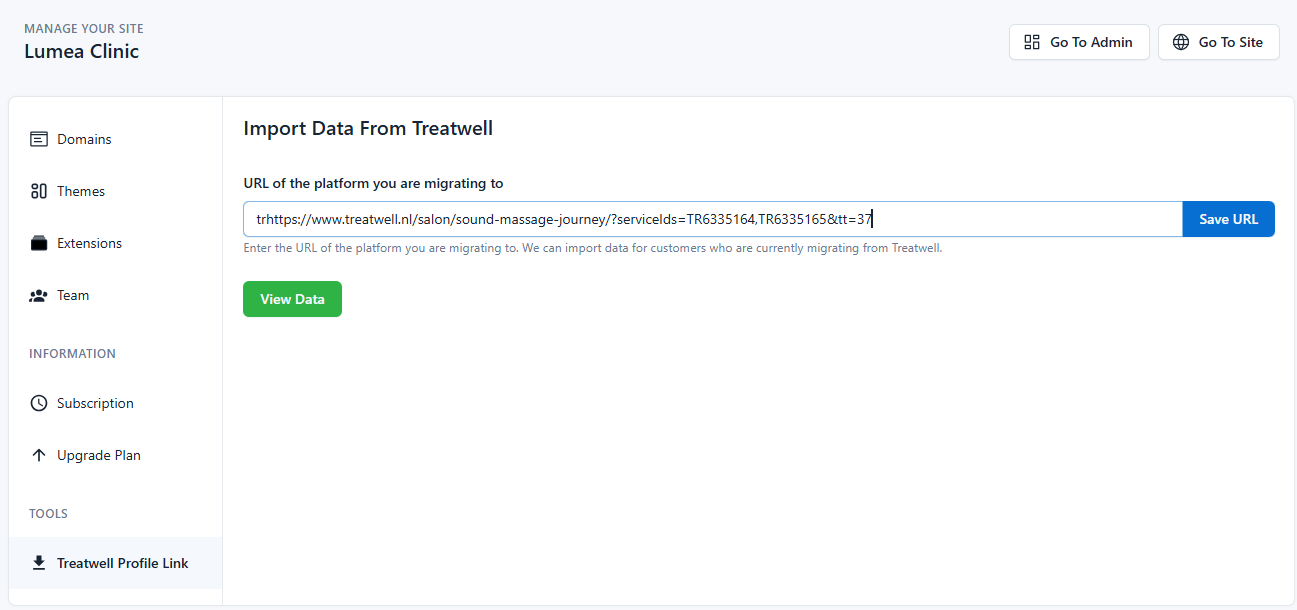
This section allows you to import information from your existing Treatwell account into the Openbeauty panel with a single click. If your business is switching from Treatwell to Openbeauty, you can automatically transfer all your data without wasting time.
How to use it:
- Enter the link to your Treatwell profile in the field “URL of the platform you are migrating to.”
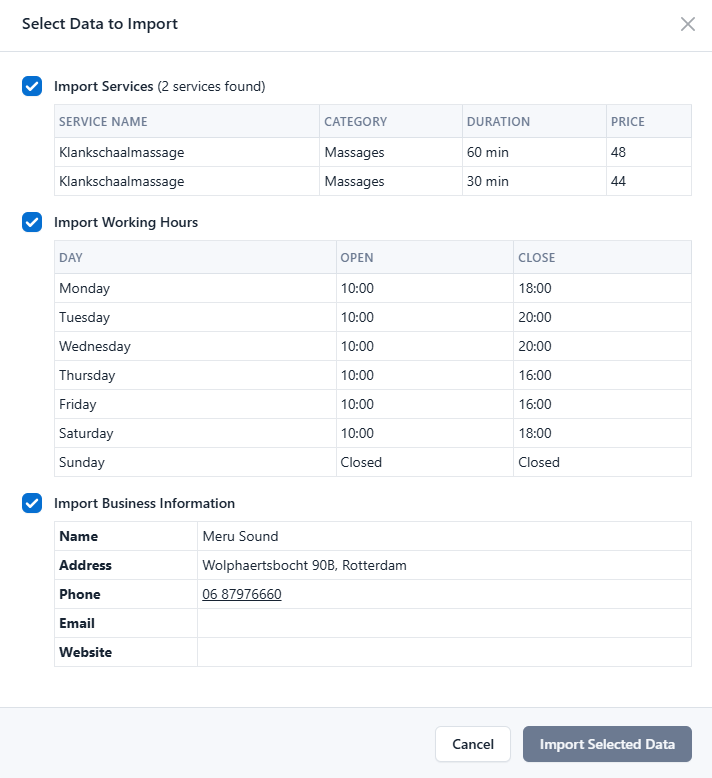
Once the URL is added, the system scans your profile and displays all information available for import. - After confirmation, the import will start automatically.
Businesses with a Treatwell account can import the following data with one click:
- Working/opening hours
- Business address and contact details
- Current service list
- All pricing information
- Basic business profile information for visibility
This process speeds up the platform migration and eliminates the need to manually re-enter all information.