

Managing your subscription
The Subscription section is the central area of your Openbeauty panel where you can manage your subscription plan and payment information.
The Subscription section is where you can manage your Openbeauty subscription plan and payment details from one central place.
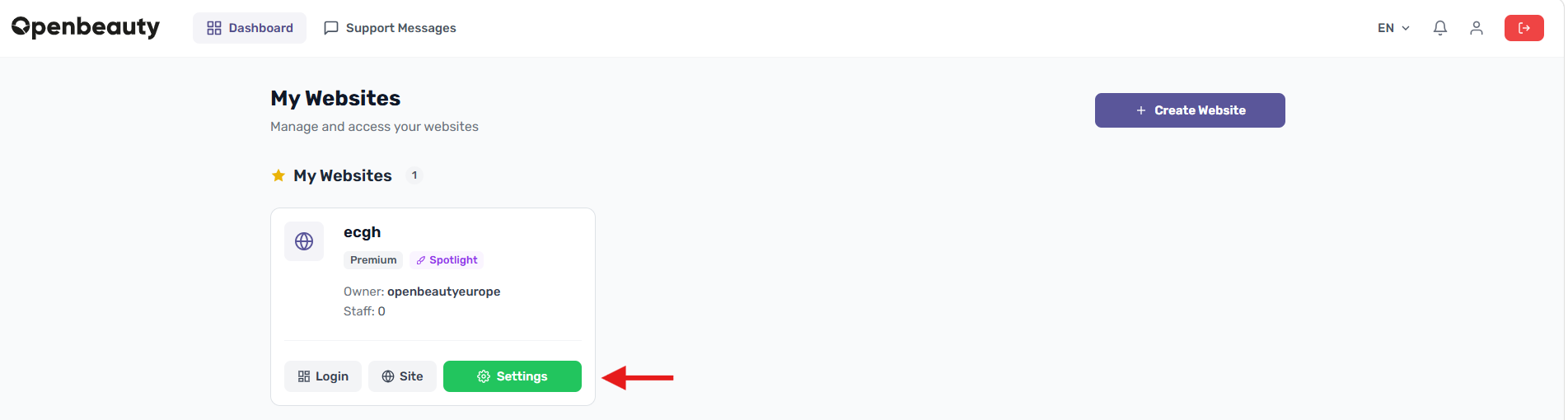
Here, you can find all the important information about your subscription, including your current plan, payment method, extensions, and free trial status.
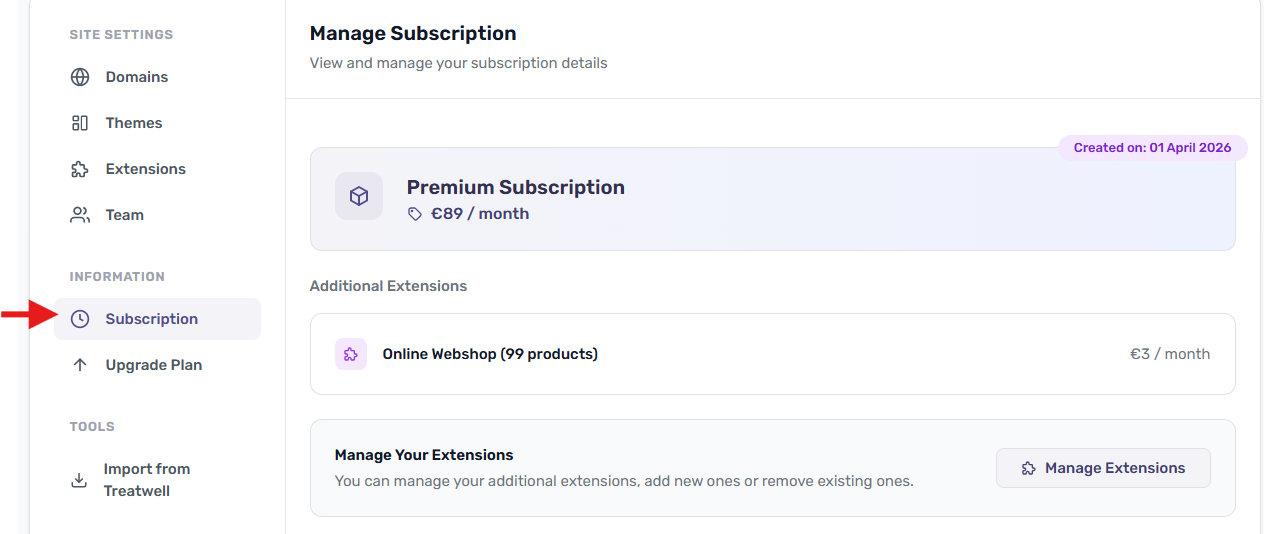
Current Subscription
This section gives you an overview of your current subscription:
- At the top of the panel, you can see your current plan, such as Premium Subscription, along with its price.
- You can also view when the subscription was created and when it became active.
Manage Your Extensions
You can manage the extensions connected to your subscription from this section. You can:
- View your active extensions
- Add new extensions
- Remove extensions you no longer need
Manage Payment Method
To start or continue your subscription, you need to add a payment method, such as a credit card.
- If no payment method has been added yet, you will see the message “No payment method added yet”.
- You can view your current payment method and check your billing information here.
Free Trial Period
If you are using a free trial, this section shows how many days you have left before your trial ends.