

Selling Packages (multi-session)
With Openbeauty, you can bundle multiple sessions or different services into a single package and easily manage both the sales and appointment process.
With Openbeauty, you can bundle multiple sessions or different services into a single package and easily manage both the sales and appointment process.
Creating a package
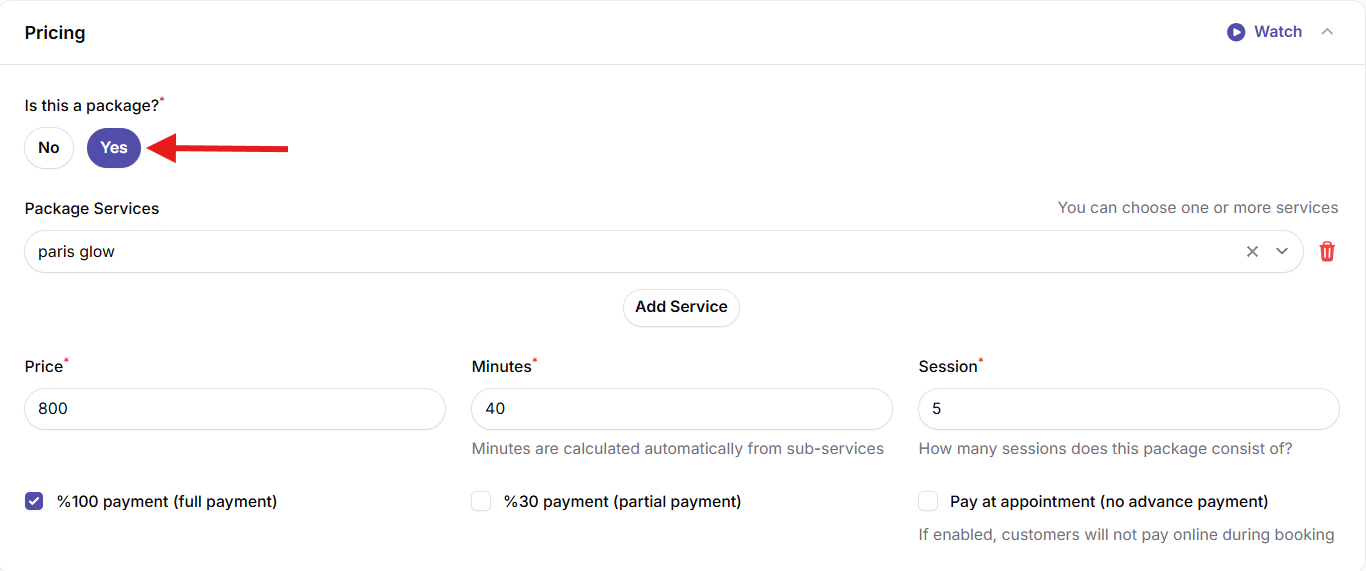
- When adding a new service, select the type “package”.
- Define which services and how many sessions are included in the package.
- Set the total price for the package.
Package sales and session tracking
- You can track all sessions of a sold package on a single screen.
- Completed and remaining sessions are automatically updated.
Appointment scheduling
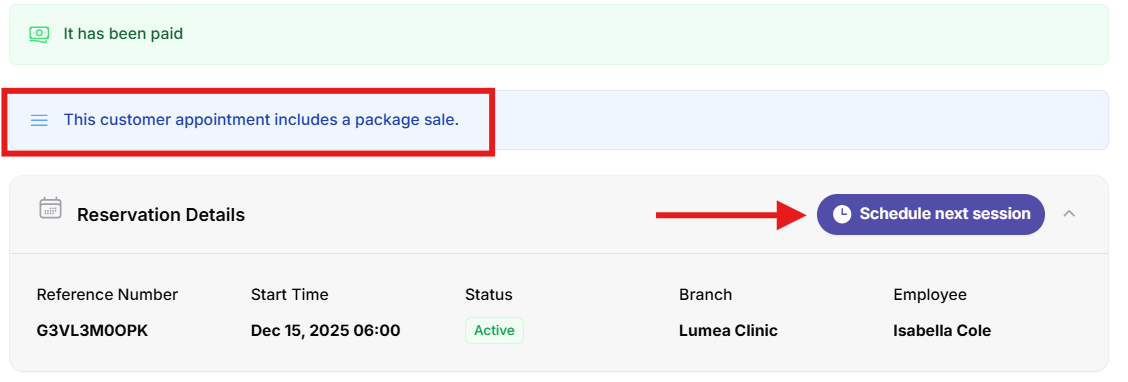
- When creating an appointment for a package service, the system offers the option “Schedule next session”.
- This allows you to schedule the next session immediately or for a later date, ensuring a consistent and structured session flow.
Watch our video on selling packages and managing appointments!