

Linking services to staff members
Pick which services this person can perform.
Not every staff member provides the same services. In Openbeauty, you can therefore set up which services each staff member is able to perform.
By assigning services to staff members, you ensure that when customers book online, they can only select staff members who actually provide the service they have chosen.
Which services does a staff member provide?
You can easily define which services are available for each staff member. This allows you to:
- Select the services the staff member provides
- Create an individual list of available services for each staff member
This keeps your online booking system organised and prevents customers from booking a service with a staff member who does not offer it.
Assigning services to a staff member
- Go to Staff in Openbeauty.
- Select the staff member whose services you want to manage.
- Open the Treatments section.
- Select the services this staff member provides.
- Save your changes.
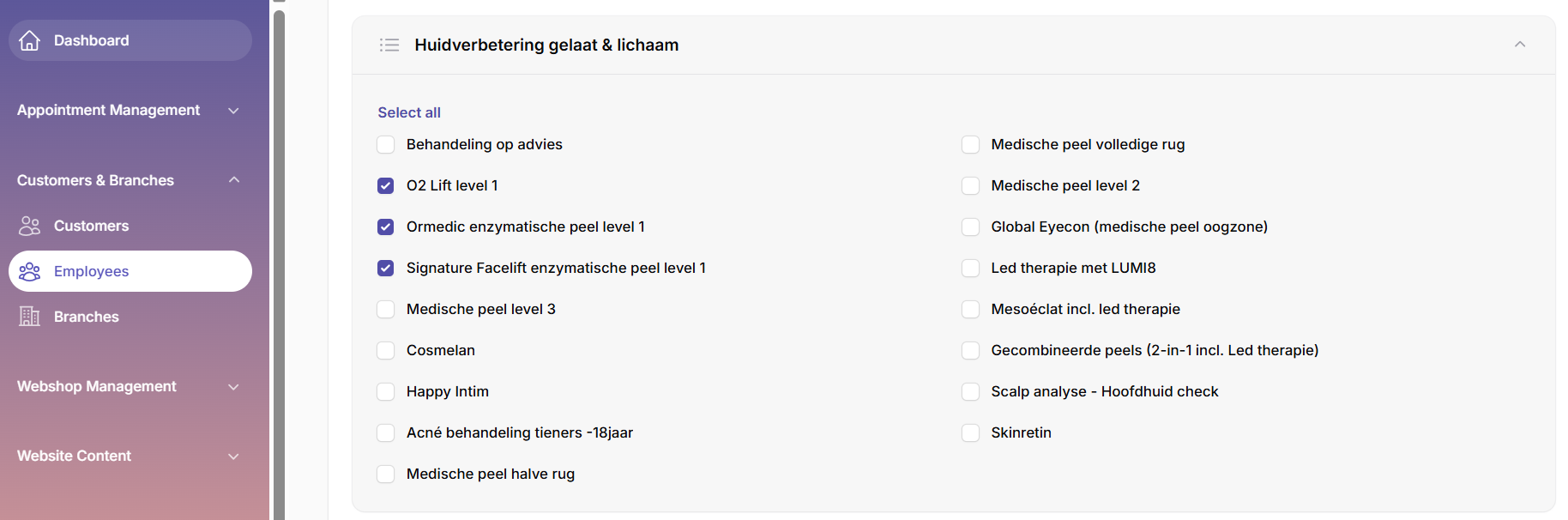
The selected services will now be linked to the staff member.
What does the customer see when booking online?
When a customer selects a service, Openbeauty only shows staff members who provide that service. This allows the customer to choose an available staff member who can perform the selected treatment or service.
This helps prevent incorrect bookings and ensures that appointments are assigned to the right staff member.