Staff Management
The staff management module allows you to manage employees, set their working hours, and define which services they offer. This ensures that the appointment system runs automatically and without errors.
The staff management module allows you to manage employees, set their working hours, and define which services they offer. This ensures that the appointment system runs automatically and without errors.
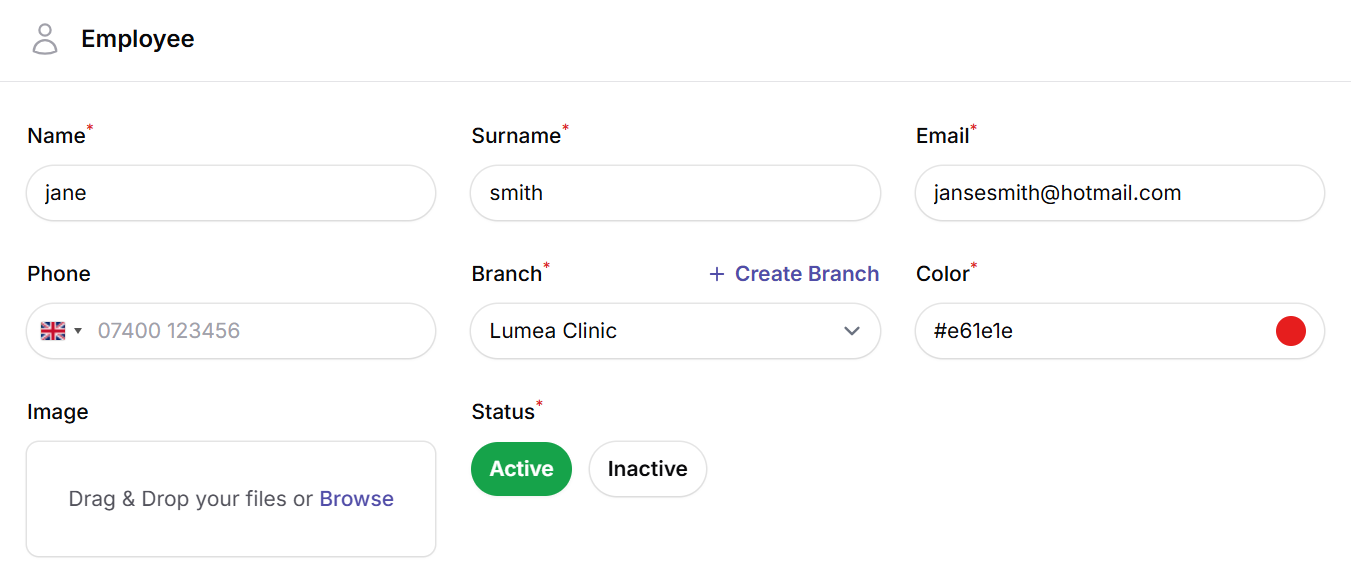
1. Staff Information
In this section, you enter the basic details of an employee, such as first name, last name, email address, and phone number. This information is used for both internal management and appointment notifications.
2. Work Schedule
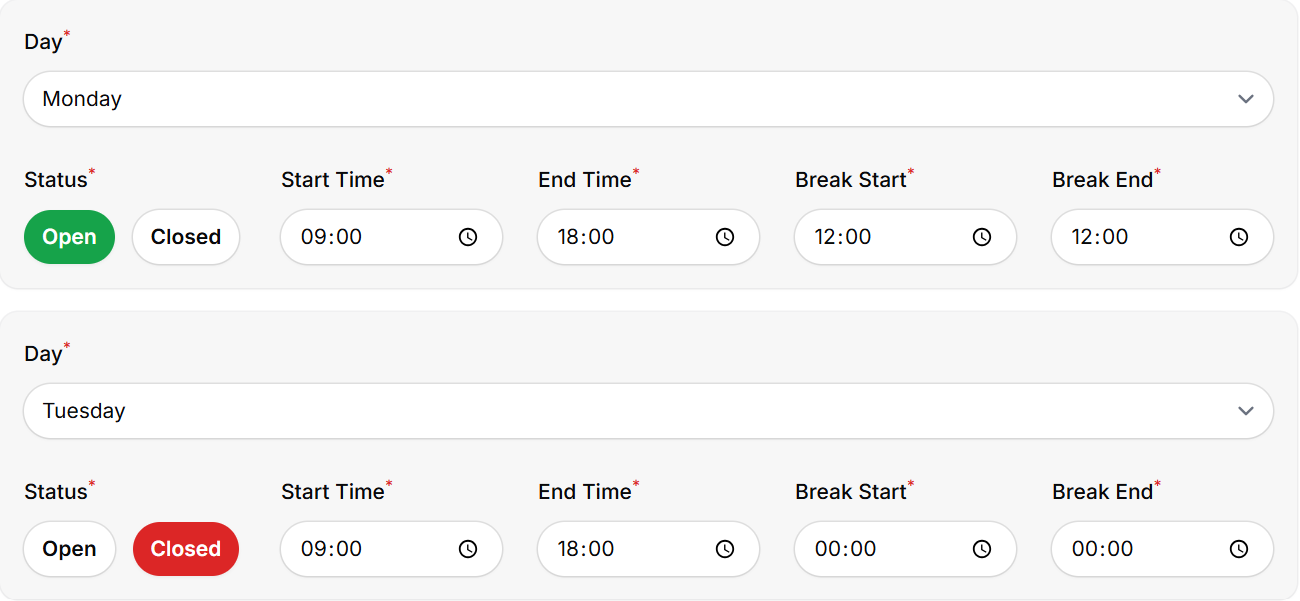
For each employee, you can create a separate work schedule:
- Which days the employee works
- Working hours (from … to …)
- Break times
Thanks to these settings, the system only allows appointments to be scheduled when the employee is available.
3. Service Assignments
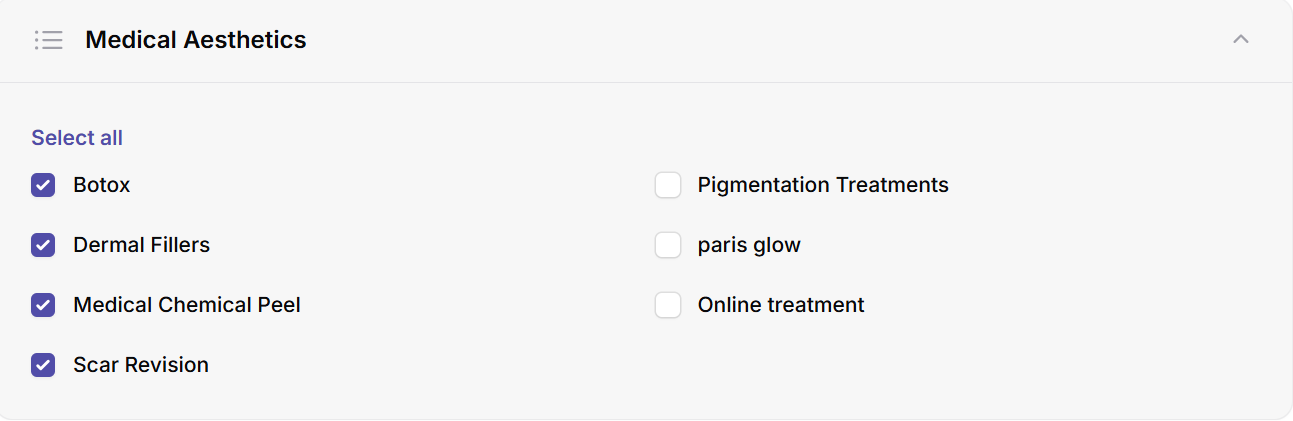
Not every employee offers all services. In this section, you can:
- Select which services the employee can perform
- Disable services they do not offer
This ensures that customers can only book appointments with employees who actually provide the selected service.
4. Advanced Settings
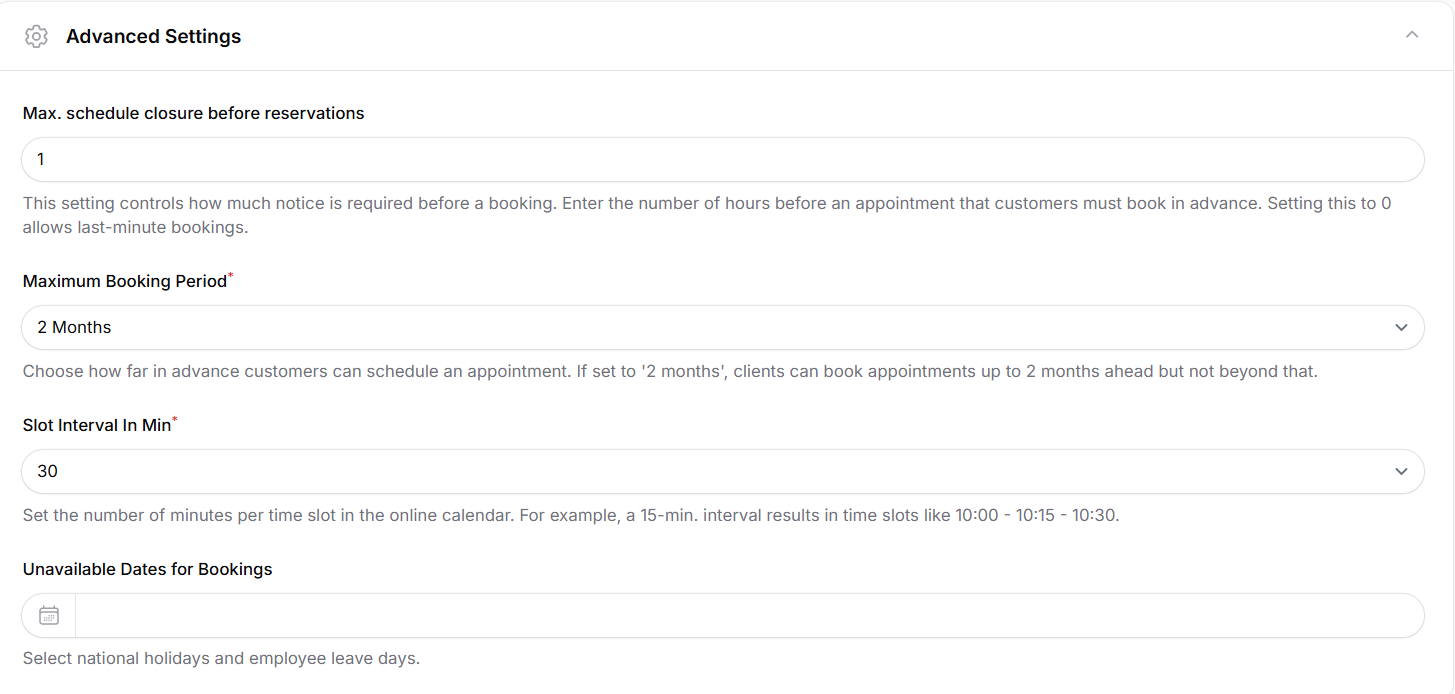
Here you can configure when and how an employee is available for online bookings. These settings directly affect the appointment scheduling system:
- Maximum advance booking time: Prevents last-minute bookings. For example, if set to 24 hours, customers cannot book an appointment within 24 hours of the appointment time.
- Maximum future booking range: Defines how far into the future customers can schedule appointments. Only this time range will be visible in the online calendar.
- Time slot interval (minutes): Controls the intervals of available time slots in the calendar. For example, 15 minutes (10:00, 10:15, 10:30) or 30 minutes (10:00, 10:30).
- Unavailable dates: Select public holidays or employee leave days. No online appointments can be booked on these dates.