

Reports & Analytics
With Openbeauty, you can easily track your salon’s performance and analyze your business in detail. The Reports & Analytics section provides a complete overview of both revenue and customer activity through clear visual insights.
With Openbeauty, you can easily track your salon’s performance and analyze your business in detail. The Reports & Analytics section provides a complete overview of both revenue and customer activity through clear visual insights.
Reports
In the Reports section, you can select any date range to analyze your performance on a daily, weekly, or monthly basis. Report formats:
- PDF: Ideal for a quick and general overview of performance
- Excel: Suitable for in-depth analysis, data processing, and creating custom reports
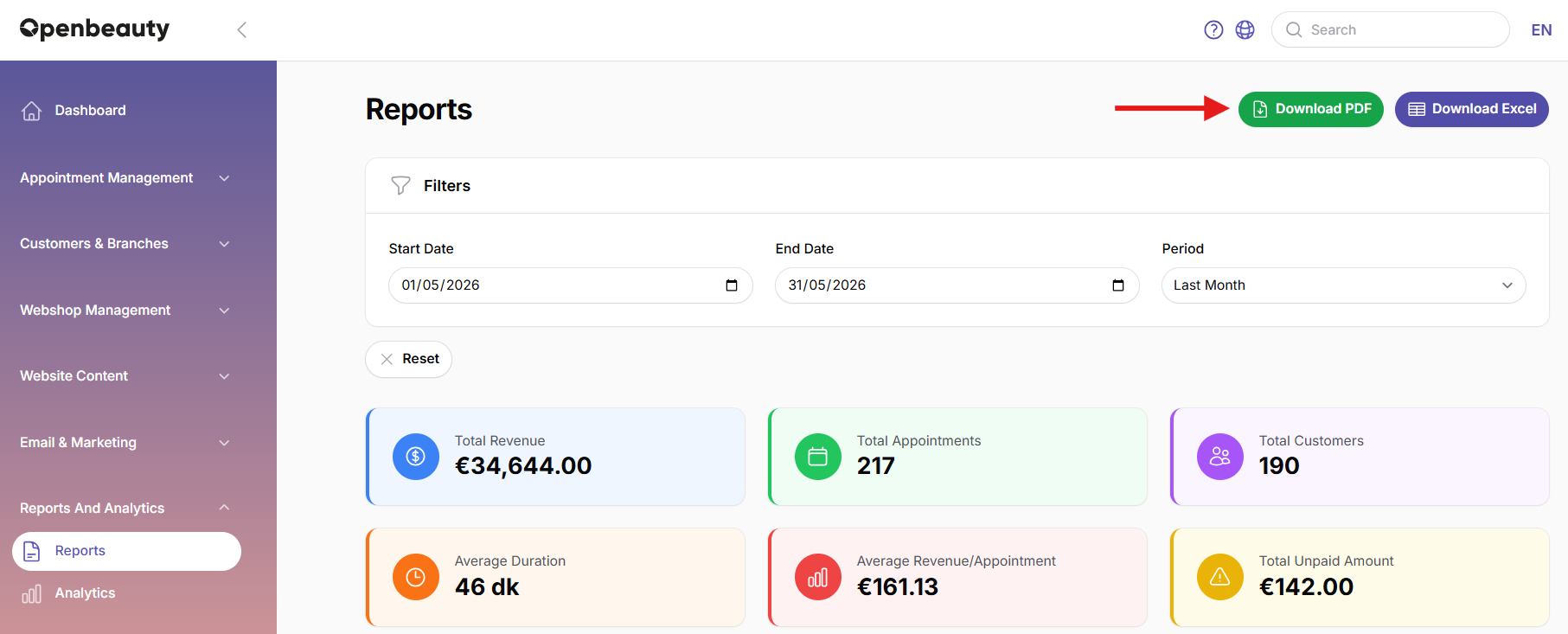
Reports summarize customer activity, including:
- Registered customers
- New customers
- Returning (regular) customers
This allows you to easily analyze customer loyalty and service usage trends. By reviewing reports regularly, you can:
- Track revenue and appointment trends
- Analyze customer behavior
- Improve business planning and marketing strategies
Tip: Use the filters in the report screen to quickly generate period-based or service-based analyses.
Analytics module
The Analytics page provides a detailed visual overview of your salon’s performance through charts. Each chart represents a different metric. This section offers time range options such as 1 week, 1 month, 3 months, 6 months, and 1 year, allowing you to track both short-term and long-term trends.
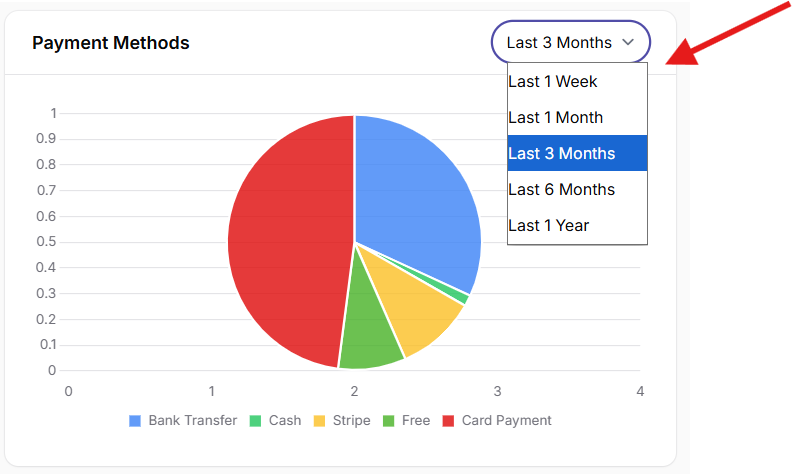
With analytics you can:
- Monitor daily and weekly trends
- Identify which channels generate the most appointments
- Analyze the most used payment methods
- Identify popular services to optimize promotions and packages
- Evaluate customer loyalty and service quality
- Measure staff performance and identify top revenue-generating services