

Shipping options
Configure carriers, prices and free-shipping thresholds.
Go to System Settings → Shipping Costs to configure the shipping fee for your webshop and define the minimum order amount required for free shipping.
These settings ensure that shipping costs are automatically calculated during checkout, eliminating the need for manual calculations.
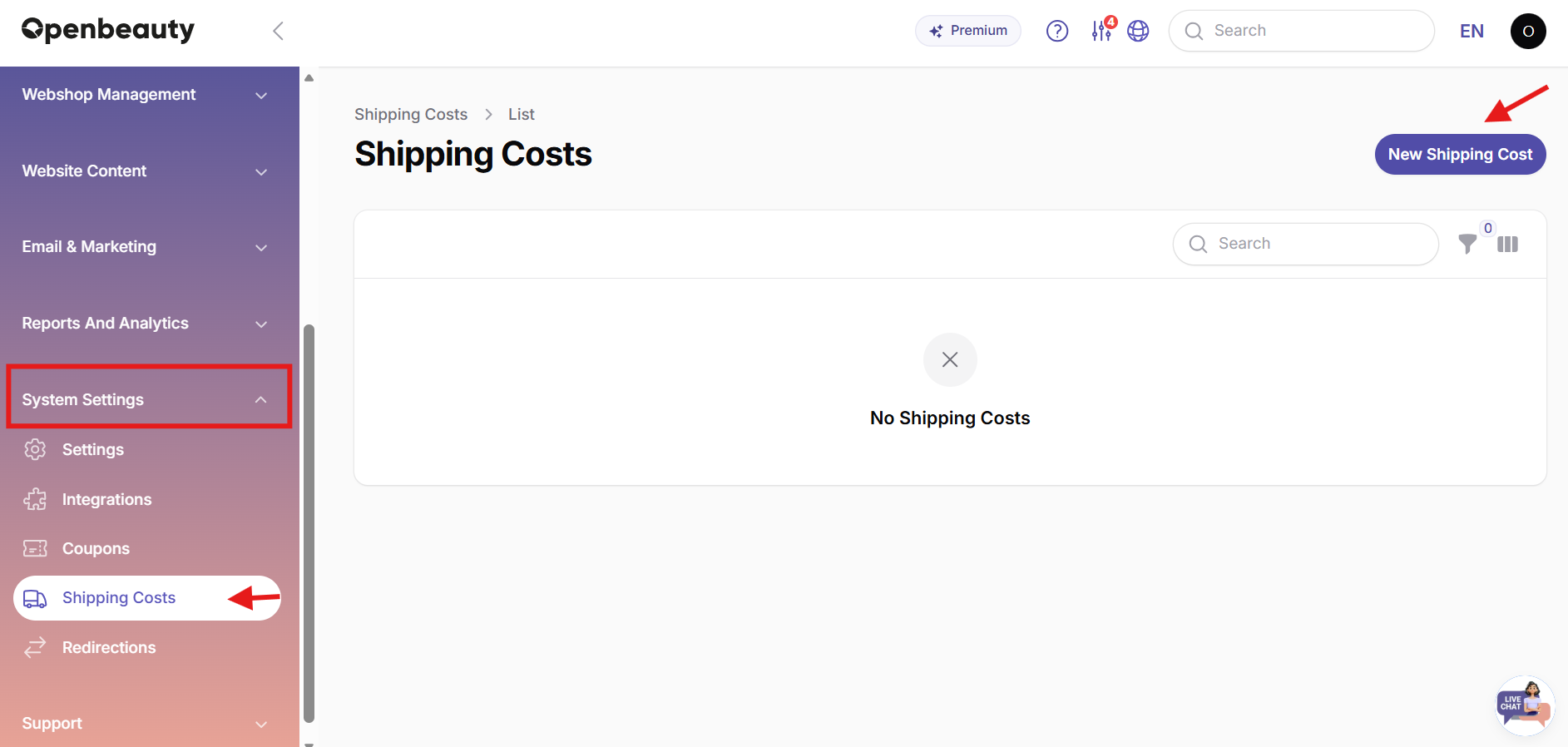
What does it do?
With these settings, you can:
- Set the shipping fee charged per order.
- Define a minimum order amount for free shipping.
- Automatically apply shipping costs based on your configured rules.
- Streamline your order process without manual calculations.
How to fill it in?
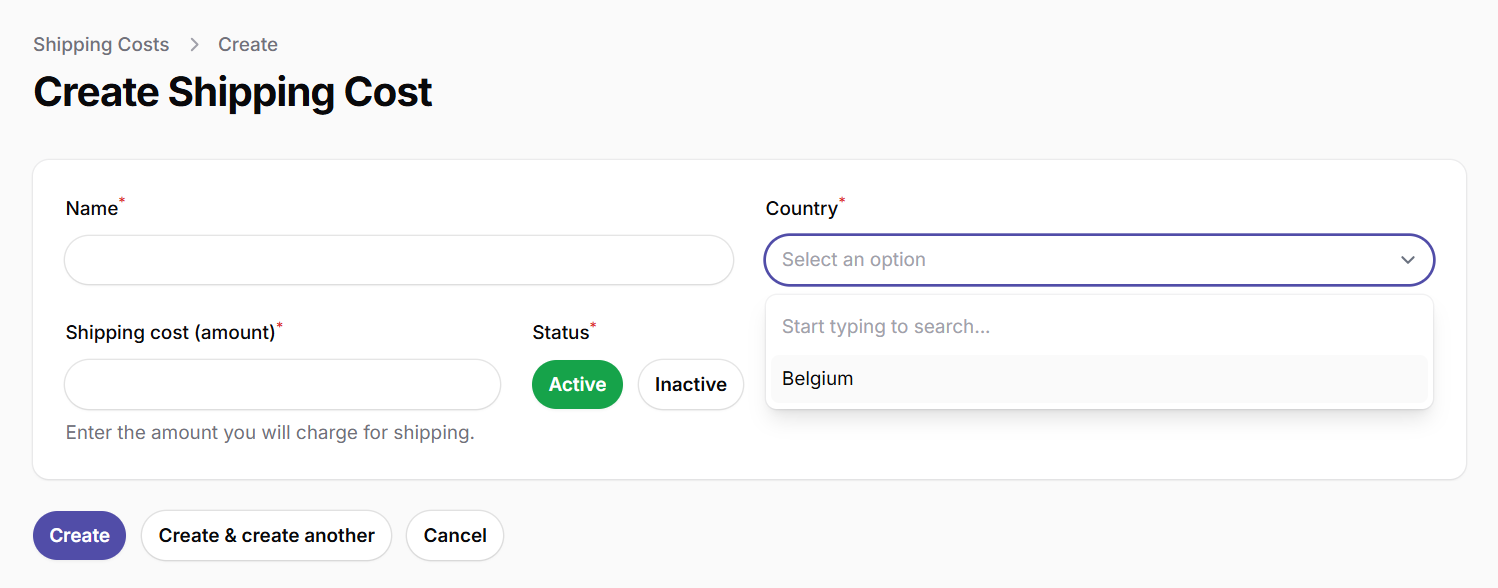
- Shipping cost (amount): Enter the shipping cost per order here.
- Minimum amount for free shipping: Orders above this amount will automatically receive free shipping. For example: €50. If left empty, shipping costs will be charged for every order.
Tip: Setting a free shipping threshold encourages customers to spend more, helping increase your webshop's average order value.